
Alle Ordner.
Auf einmal.
All your folders.
At once.
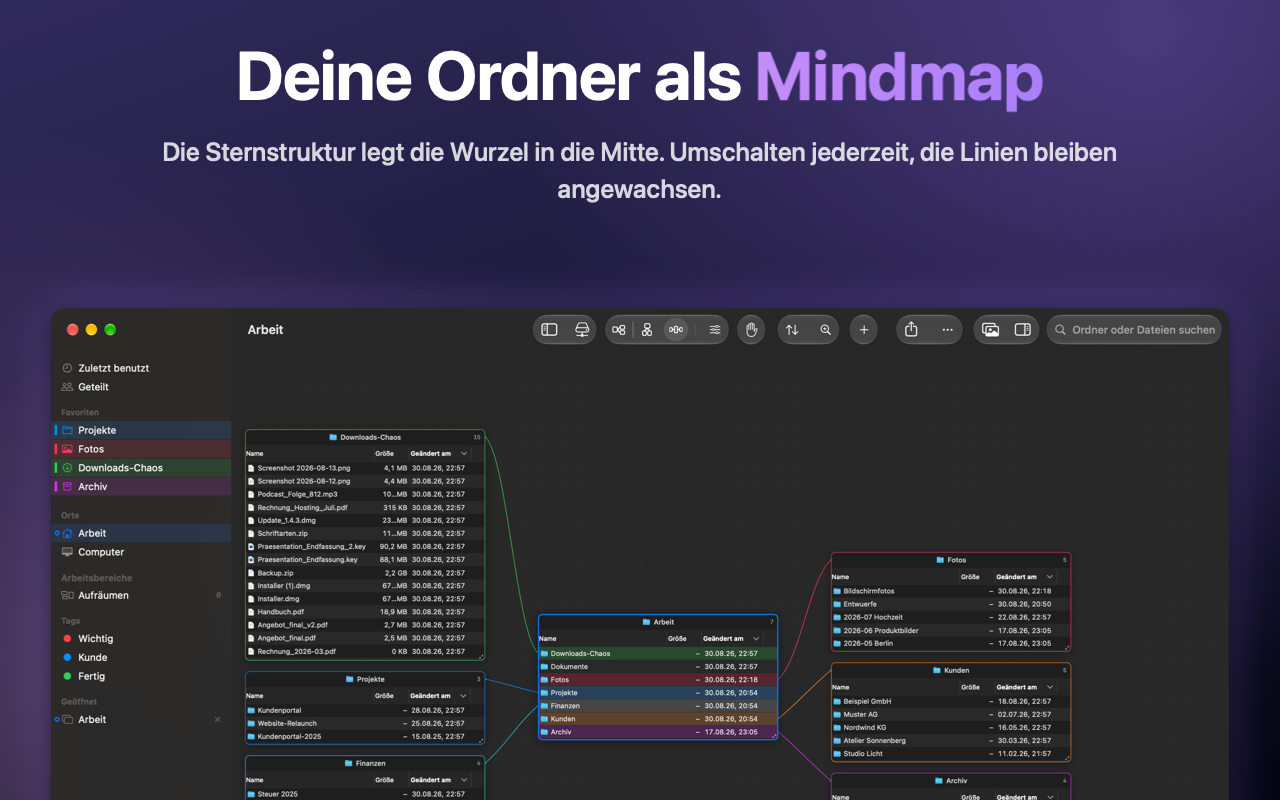
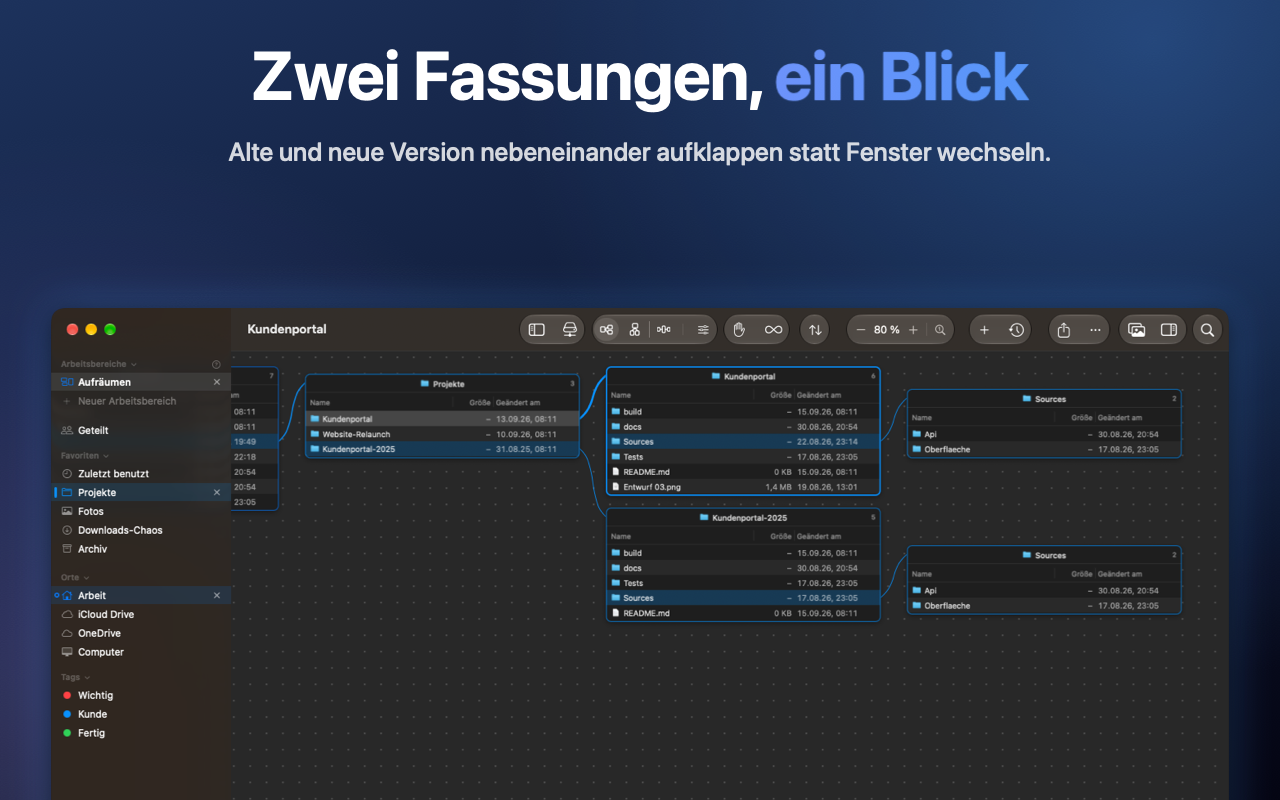
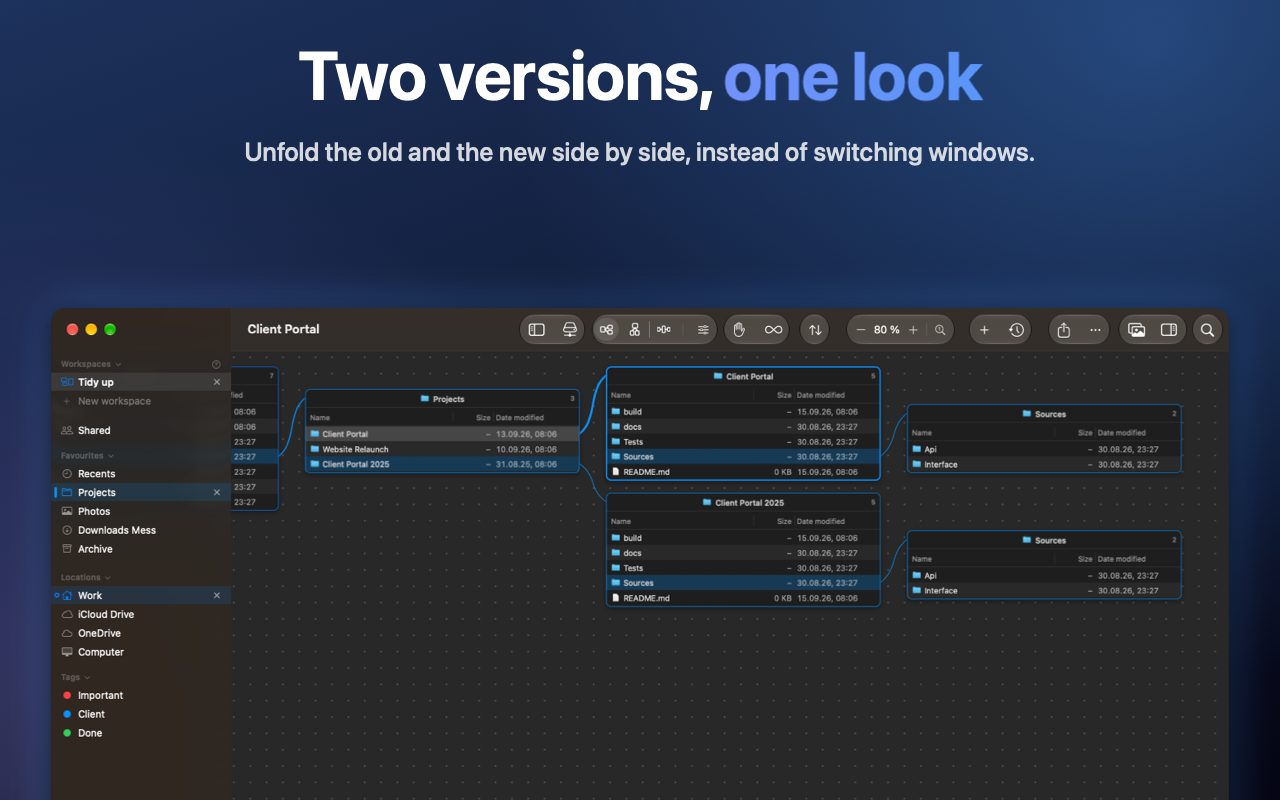
Trellis zeigt Ordner nebeneinander auf einer Leinwand, verbunden durch Linien zwischen Ordner und Unterordner. Wer einen Ordner öffnet, verliert den vorigen nicht aus den Augen: er steht daneben, und der Weg dorthin bleibt sichtbar.
Trellis shows folders as panes on a canvas, joined by lines from a folder to its child. Open a folder and you keep the last one: it sits right next to it, and the way there is visible.
Im Mac App Store laden Get it on the Mac App StoreWas Trellis anders macht
What Trellis does differently
Leinwand statt Fensterstapel
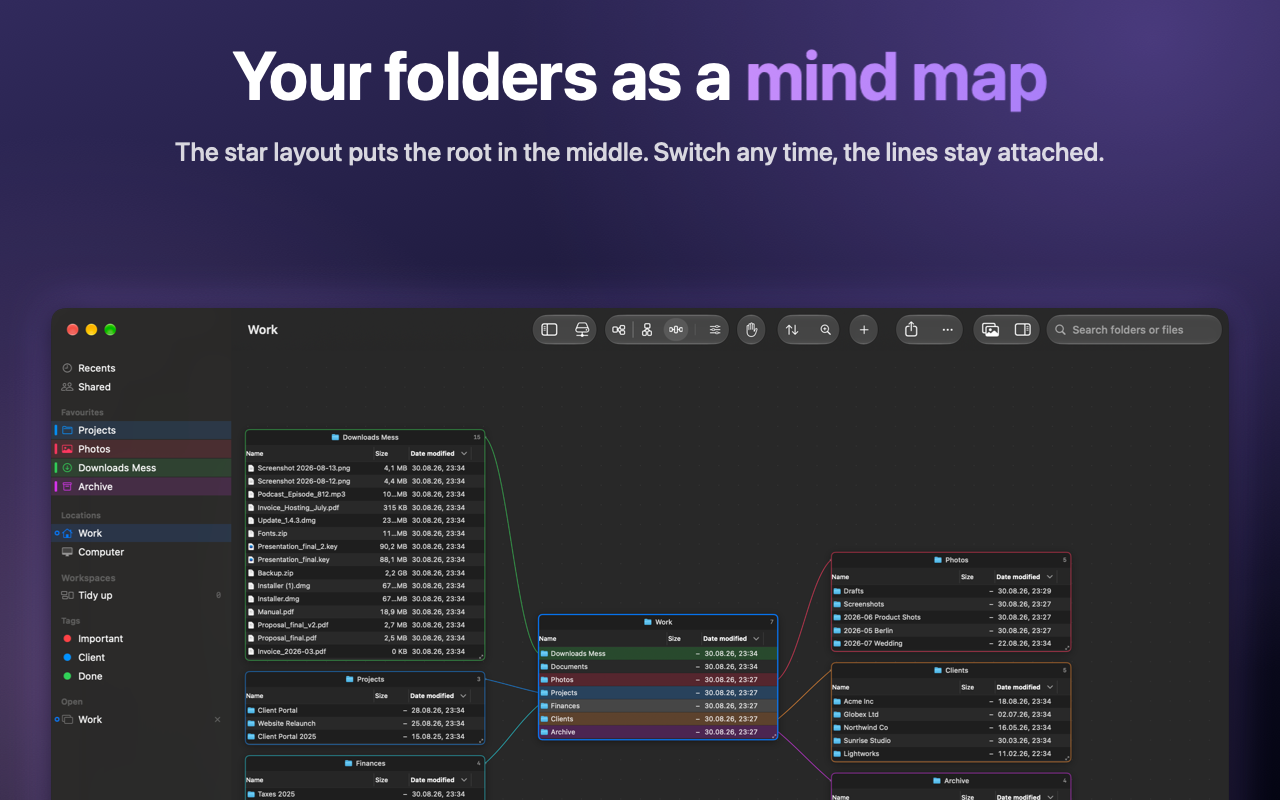
Baum nach rechts für tiefe Pfade, Baum nach unten für breite Auffächerung, Stern mit den Wurzeln in der Mitte. Dateien bewegen heißt ziehen, nicht kopieren, Tab wechseln, einfügen.
Eigener Index
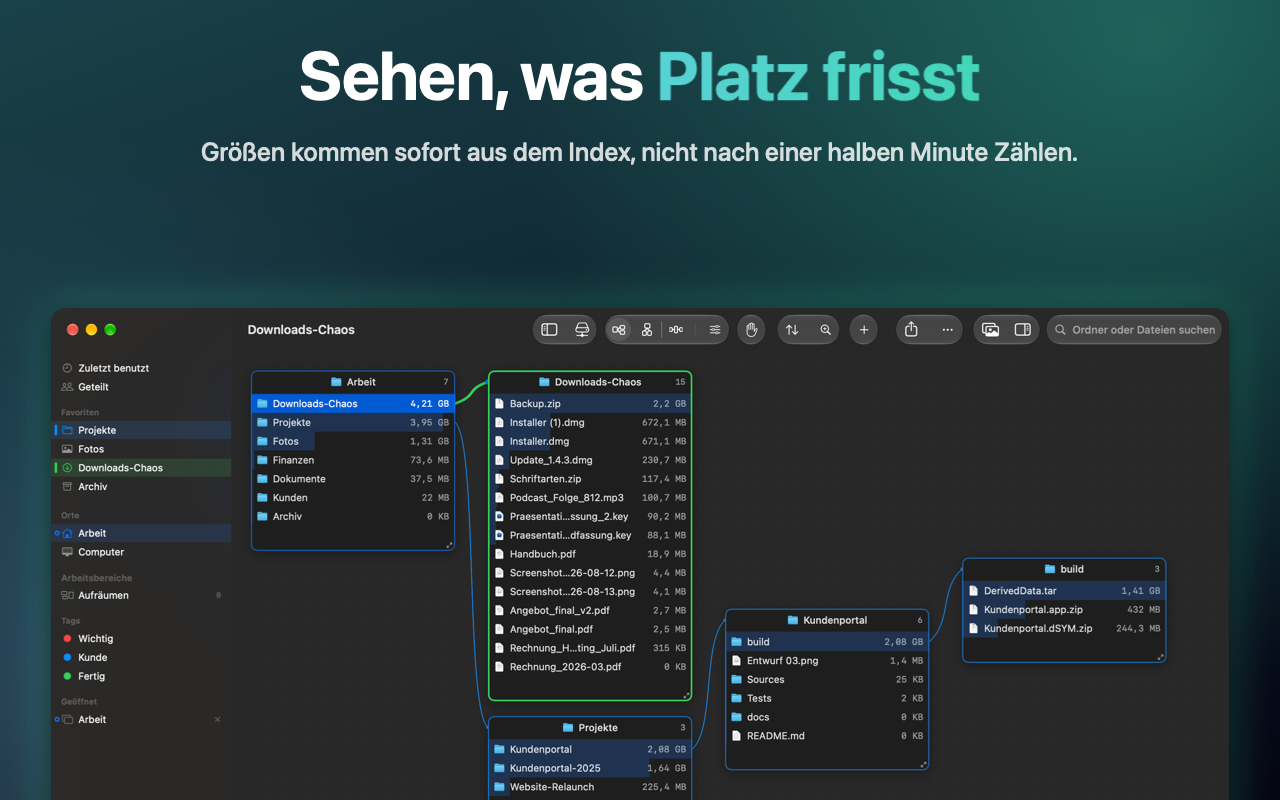
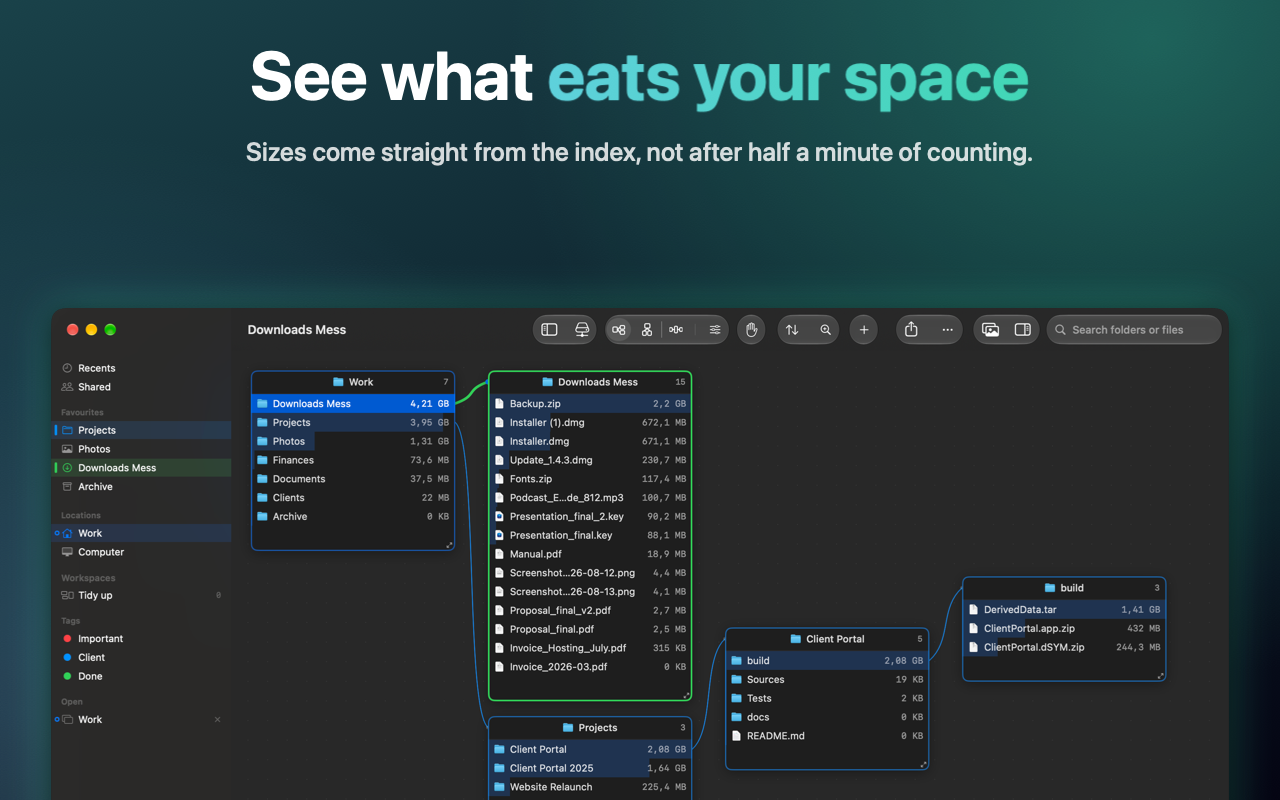
Die Größe eines Ordners ist sofort da, nicht nach dreißig Sekunden Zählen. Suche, Vergleich und Größenansicht kommen aus derselben Datenbank, die auf deinem Mac liegt.
Externe Platten, auch abgezogen
Trellis merkt sich Struktur, Vorschauen und auf Wunsch den Text der PDFs jeder Platte. Die Suche findet die Datei auf dem Stick im Schrank und sagt, welche Platte anzustecken ist.
Vergleich und Dubletten
Zwei Ordner markieren und vergleichen lassen, dann färben sich ihre Zeilen: grün, was es nur auf einer Seite gibt, orange, was gleich heißt und trotzdem verschieden ist. Die Dublettensuche merkt sich Prüfsummen, der zweite Durchlauf ist fast umsonst.
Auswahl über Ordnergrenzen
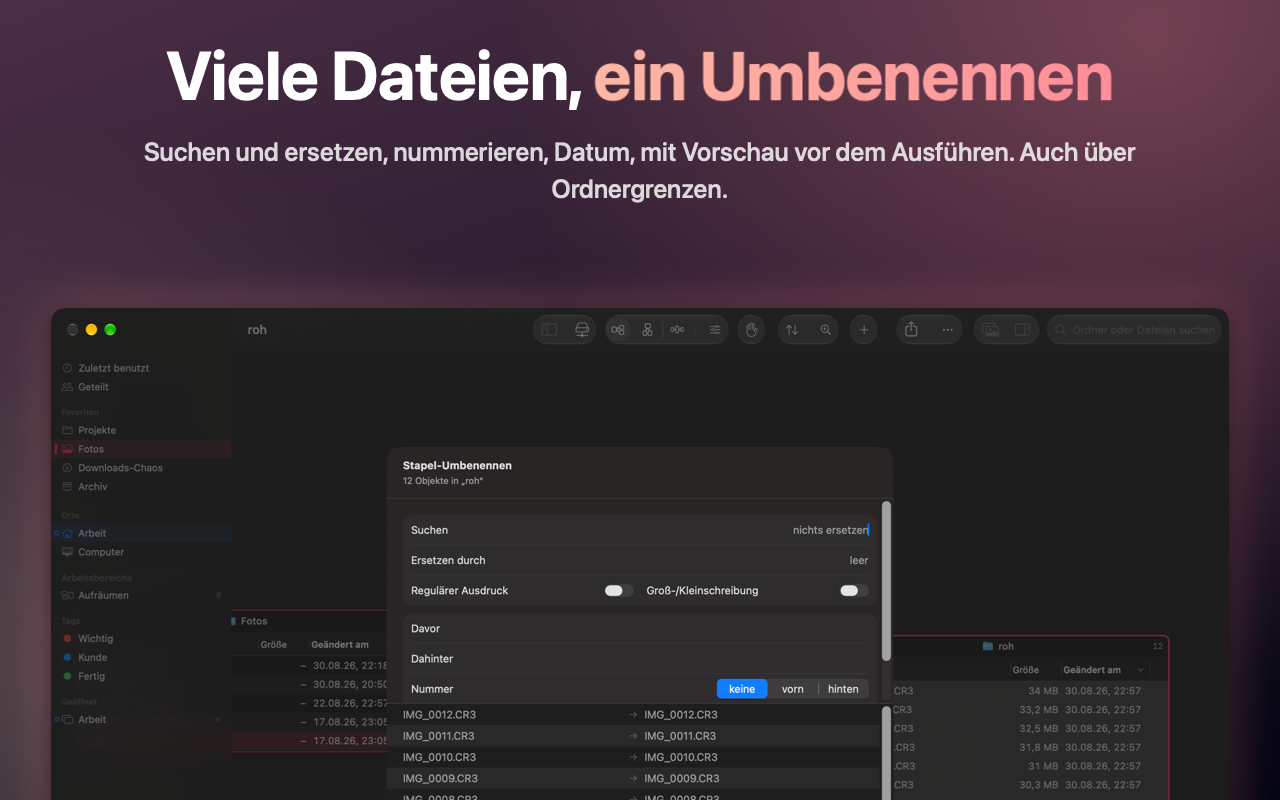
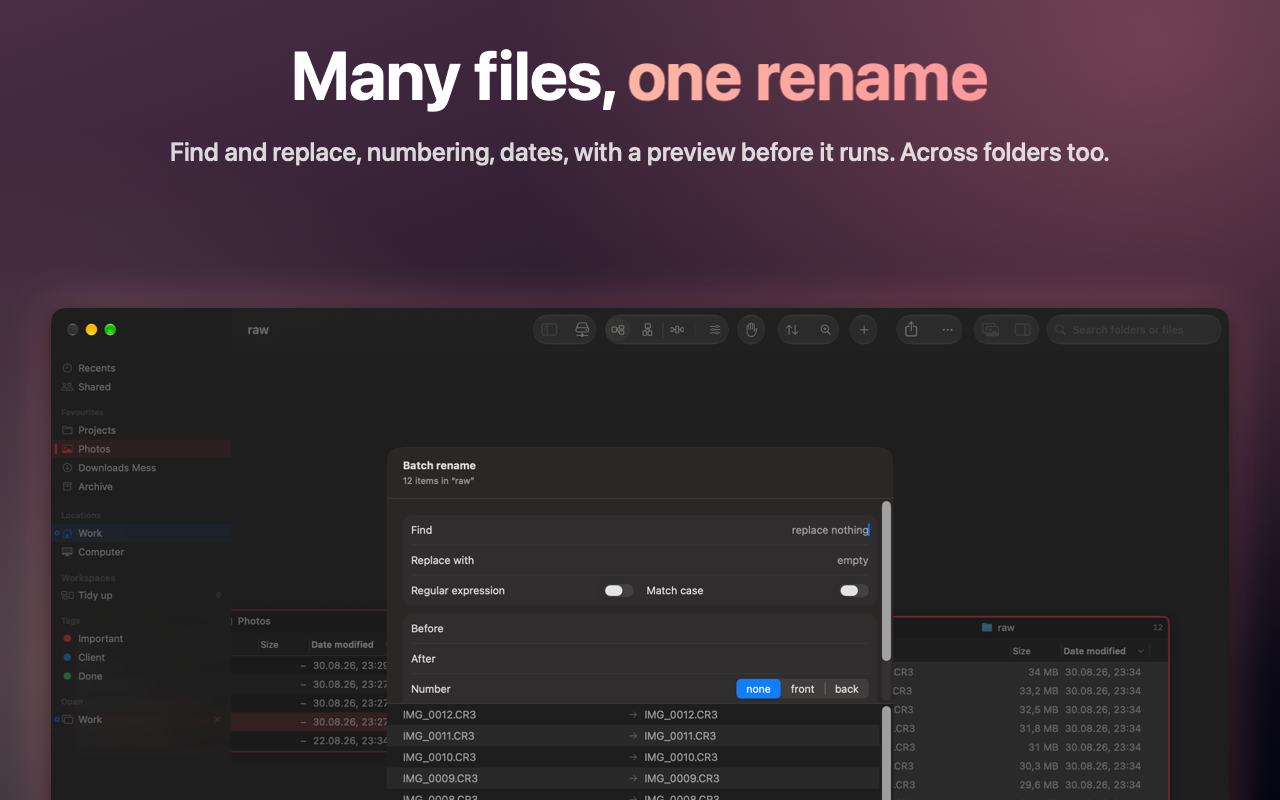
Mit ⌘-Klick aus mehreren Ordnern zusammensuchen und in einem Zug kopieren, bewegen oder umbenennen, mit Vorschau und rückgängig. Der Finder kann das nicht.
Galerie und Bildwerkzeuge
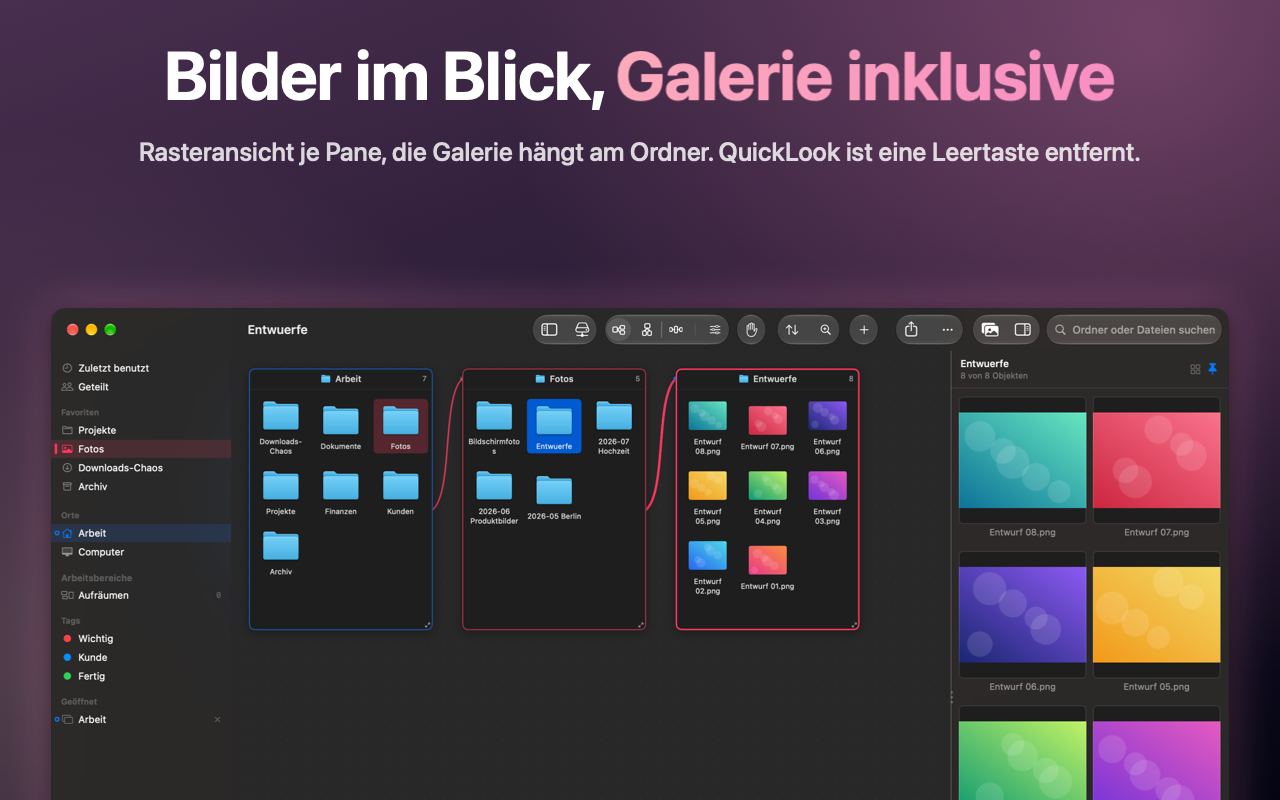
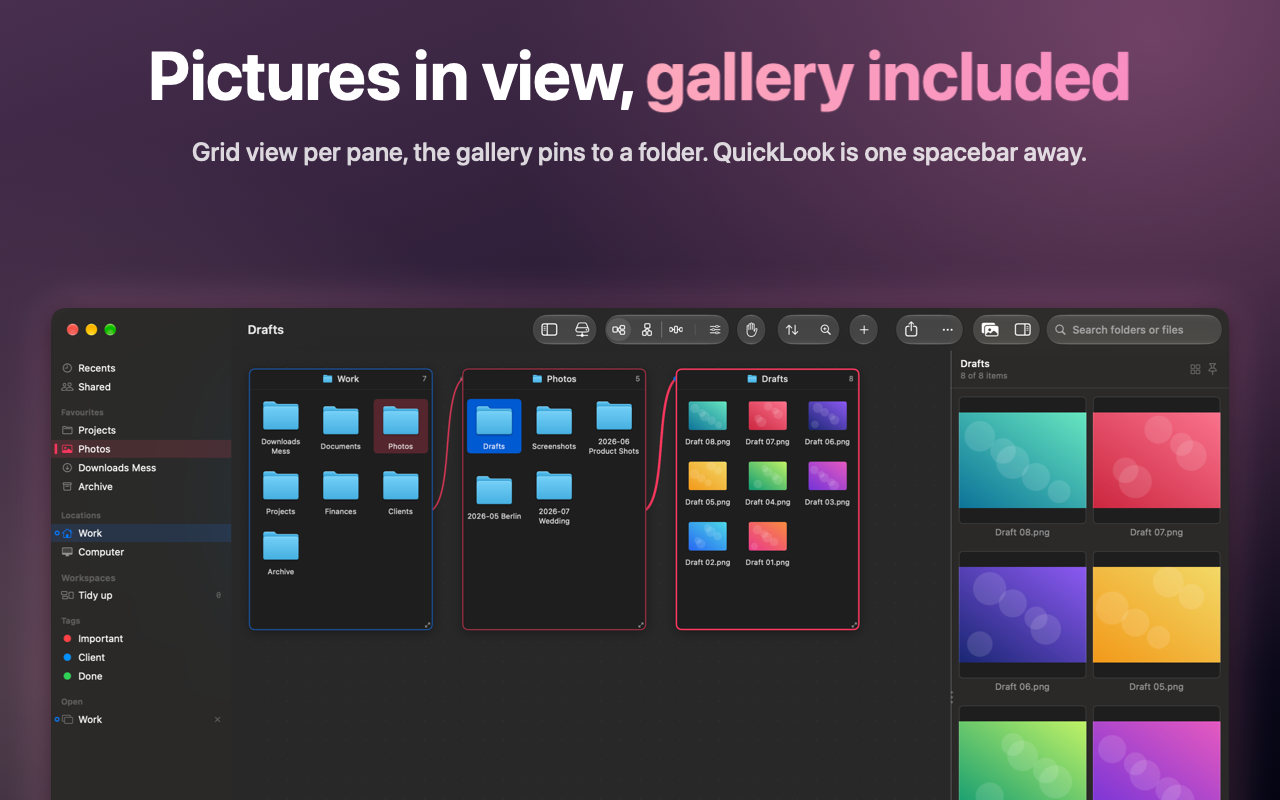
Bilder, Filme und PDFs des Ordners, der gerade dran ist, als Galerie daneben. Umwandeln, Größe ändern, Dateigröße verkleinern, und das Blatt zeigt vorher, was herauskommt.
A canvas, not a pile of windows
Tree to the right for deep paths, tree downwards for wide fan-out, star with the roots in the middle. Moving files means dragging, not copy, switch tab, paste.
Its own index
A folder's size is there at once instead of after thirty seconds of counting. Search, comparison and the size view come from the same database, stored on your Mac.
External drives, even unplugged
Trellis remembers the structure, previews and on request the text of the PDFs of every drive. Search finds the file on the stick in the drawer and tells you which drive to plug in.
Compare and duplicates
Select two folders and compare them, and their rows take on colour: green for what exists on one side only, orange for same name but different. Duplicate search keeps checksums, so the second pass is almost free.
Selection across folders
⌘-click gathers files from several folders and copies, moves or renames them in one go, with a preview and undo. Finder cannot do this.
Gallery and image tools
The images, films and PDFs of the focused pane as a gallery beside it. Convert, resize, reduce file size, and the sheet shows what comes out before anything is written.
Bilder
Screenshots
Deine Daten bleiben hier
Your data stays here
Trellis sammelt nichts, überträgt nichts und hat kein Konto. Der Index liegt als Datei auf deinem Mac. Zugriff bekommt die App nur auf die Ordner, die du ihr selbst gibst. Vierzehn Tage vollständig nutzbar, danach einmalig freischalten, kein Abo.
Trellis collects nothing, transmits nothing and has no account. The index is a file on your Mac. The app only gets access to the folders you hand it yourself. Fourteen days fully usable, then a one-time unlock, no subscription.